Two delivery models: run the full stack as a cloud service, or deploy it on your own servers so accounts, messages and recordings stay inside your networkRun the full stack on your own servers and keep data inside your networkExplore Private Deployment
A persistent-connection gateway, Open API and callback delivery cover one-to-one chat, group chat, chat rooms, super groups and system notifications. Messages are neither lost nor duplicated on poor networks, and operations teams get the management and audit tools they need.
Messaging channels, conversation features, relationships and groups, and multi-platform SDKs each do their part. Put together, they form an IM system you can deliver as is.
Messaging Channels
A persistent-connection gateway, Open API, admin API and callback delivery work as four connected paths, so messages flow in both directions without polling.
A persistent connection over a private protocol, with automatic reconnects
The Open API covers every message type
Callback delivery syncs message status and business events
Conversations
Five conversation types: one-to-one chat, group chat, chat rooms, super groups and system notifications, with message types that run from text to fully custom payloads.
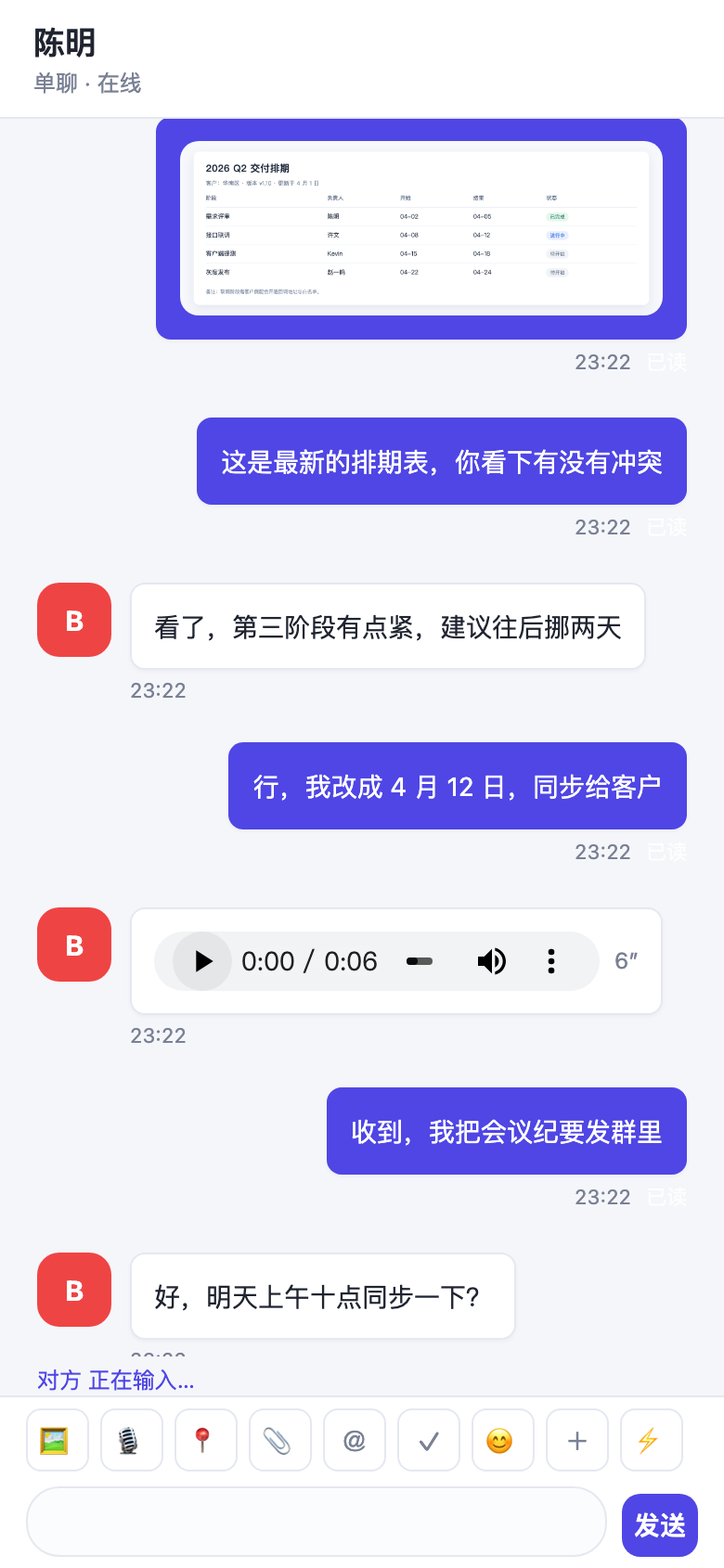
Text, image, file, voice, location and custom messages
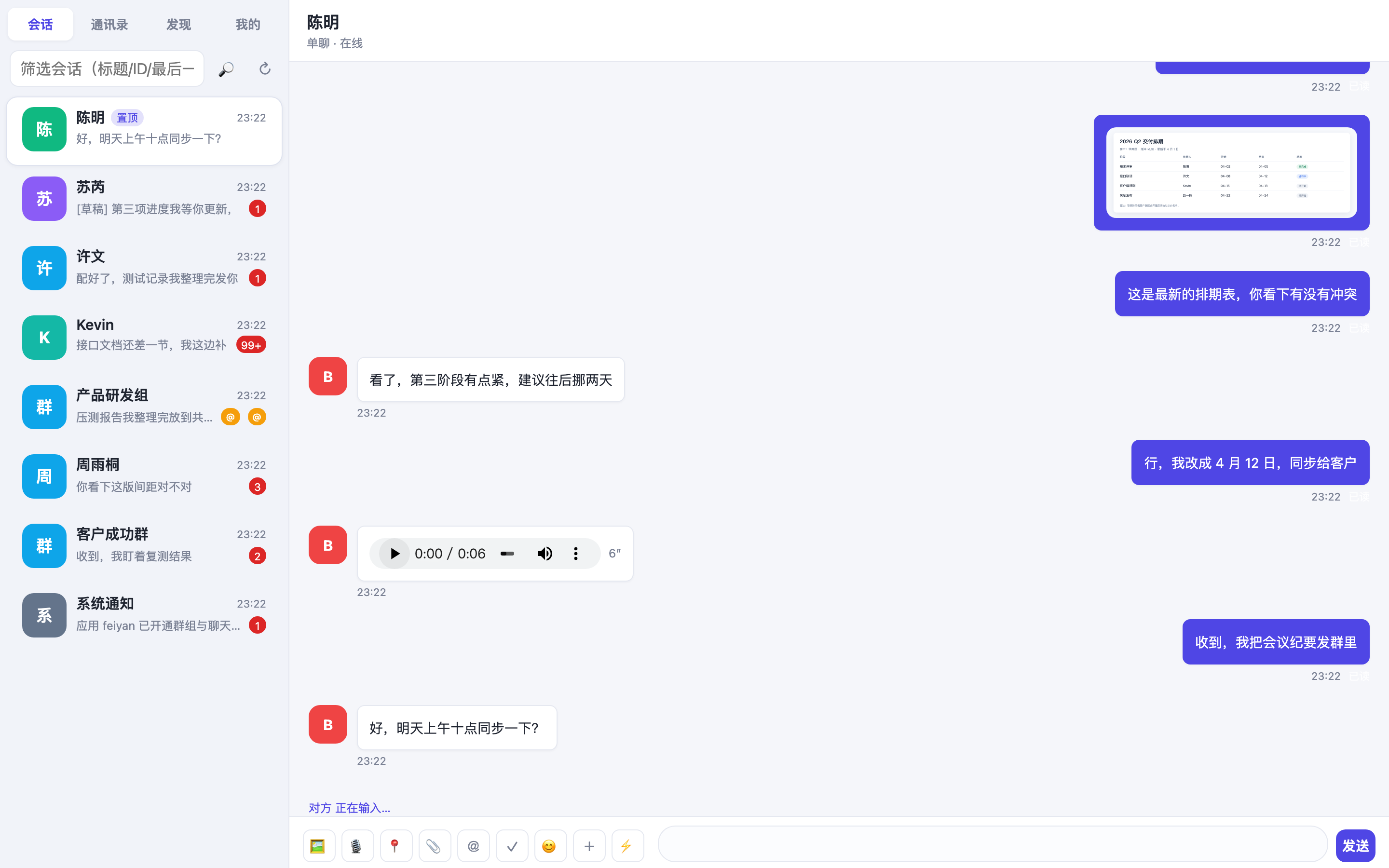
Read receipts, message recall, @mentions and quoted replies
Drafts, pinned conversations, history sync across devices and message search
Relationships and Groups
Friend relationships and group management APIs are included, so your service does not need to build its own relationship and group-permission model.
Friend lists, friend requests, blocklists and presence
Rename, admins, mute, removal, ownership transfer and group announcements
Multi-Platform SDKs and IMKit
Covers Web, Android, iOS, macOS, Flutter, React Native and mini programs, with IMKit UI components you can reuse directly.
One account system, online on several platforms at once
IMKit provides conversation, message and contact-list UI
The console and admin backend support management and audit
Reliable Messaging, with Governance to Match
Not just the ability to send a message: message reliability, the conversation experience and content governance are handled together.
Messages Survive a Poor Network, without Duplicates
The persistent-connection gateway handles both directions, and a send is acknowledged only after the message is written to three replicas. The client de-duplicates and backfills by per-conversation sequence number, so nothing is lost or shown twice after a reconnect.
Automatic reconnects; messages received while offline are stored for delivery
Three-replica message storage stays consistent in write-heavy, read-light workloads
An offline push channel reaches users even when the app is not running
Callback delivery syncs message status into your own business systems
The Details Everyday Chat Actually Needs
From read receipts to quoted replies, the features people really use in daily chat are built in, so a complete conversation experience ships with the integration.
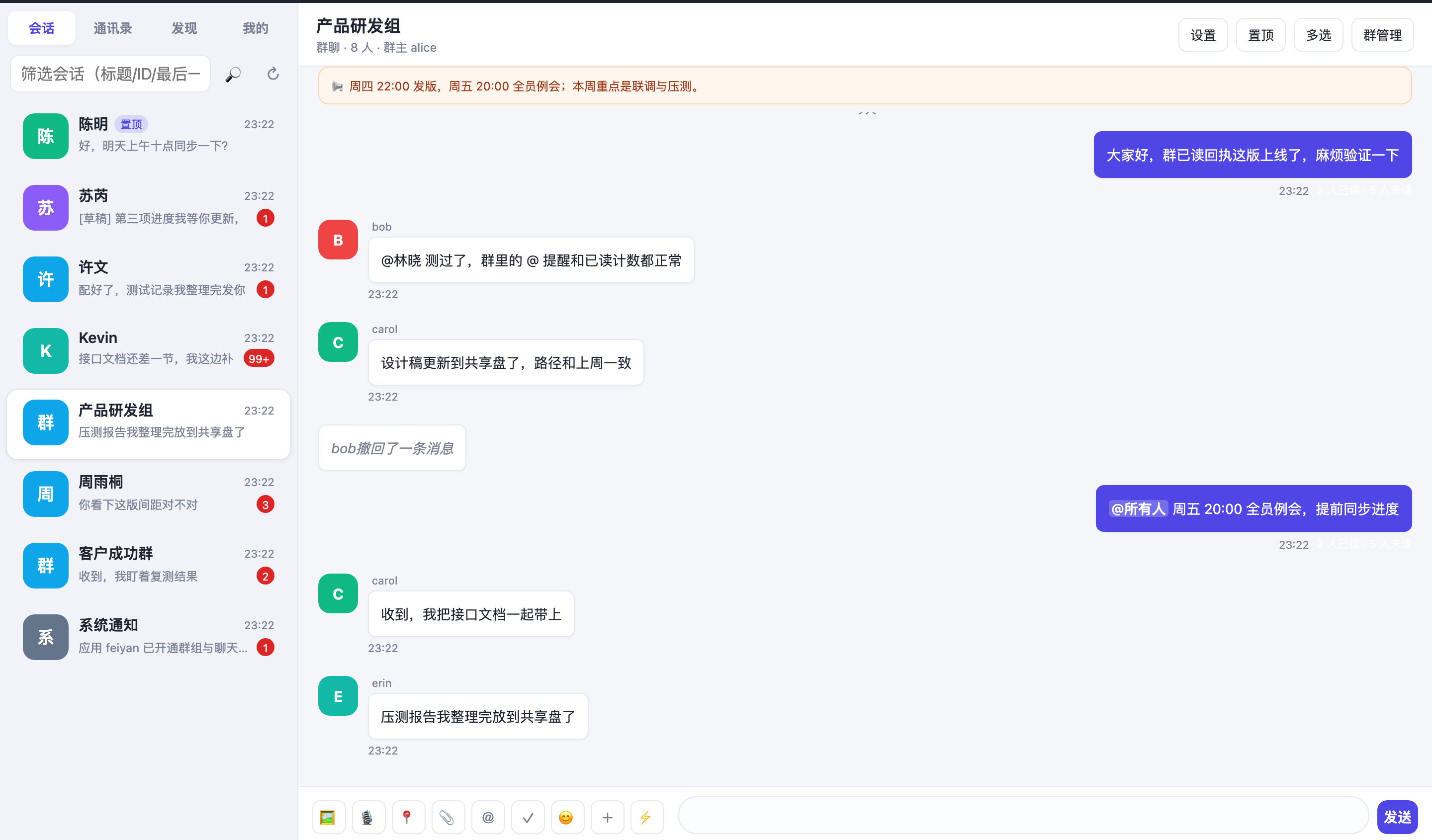
Group read receipts roll up as n/m and can drill down to who has read
Message recall, @mentions, quoted replies, drafts and pinned conversations
History sync across devices and search across all stored messages
Chat rooms handle high-concurrency joins and departures, with message rate limiting
Friends and Groups, Visible and Manageable in the Console
Friend requests, blocklists, group member moderation and sensitive-word review sit behind one set of APIs, managed visually in the admin backend.
Friend request approval flows, blocklists and presence sync
Group owners can rename the group, appoint admins, mute, remove and transfer ownership
Group announcements reach every member; system notifications are high priority
Sensitive-word review and content moderation can block or replace a match
Architecture
Clients hold a single persistent connection, the server is layered by responsibility, and storage is separated from push so each part scales on its own.
Message Storage (3 Replicas)History Sync Across DevicesOffline Push ChannelSensitive-Word Dictionary
Both the persistent-connection gateway and the message service scale horizontally. In a private deployment, all three layers can run inside your own data center network.
Send One Message, Then Add Capabilities
Create an app in the console to get an AppID, add the SDK to establish a persistent connection, and you can send and receive your first message.
Create an app in the console, get the AppID and secret, and configure the callback URL
Add the SDK or IMKit UI components per platform and replace the conversation UI
Call the Open API from your server to send system notifications and manage groups and relationships
import FeiyanIM from '@feiyan/im-sdk';

// 1. Init: get the AppID from the app details in the console
const im = FeiyanIM.init({ appId: 'YOUR_APP_ID' });

// 2. Connect (auto-reconnect after a drop, offline messages are re-delivered)
await im.connect({ userId: 'user_1001', token });

// 3. Send a message: one API for direct chats, groups and chat rooms
await im.sendMessage({
  target: 'group_2001',
  type: 'text',
  content: 'Hello, FeiyanCloud',
});

// 4. Listen for messages and read receipts
im.on('message', (msg) => console.log(msg));
im.on('readReceipt', (r) => {
  console.log(`${r.readCount}/${r.totalCount}`, r.readUserIds);
});
Common Questions Before You Integrate
For more technical detail, see the Documentation, or open a support ticket.
How are messages kept from being lost or duplicated?
A send is acknowledged only after the message passes through the persistent-connection gateway, reaches the message service and is written to three replicas. The client keeps an incrementing sequence number per conversation, so after a reconnect it backfills missing messages by sequence number and de-duplicates them. Switching networks or having the process killed does not lead to lost messages or duplicate items in the UI.
Which message types are supported, and can I define my own?
Text, image, file, voice, location and system notifications are built in, and custom message types are available: your service defines the message body and how it renders, while the server only passes it through and stores it. This suits order cards, rich-text cards and similar payloads.
How are group read receipts counted?
Group receipts show read and total counts as n/m, and an API returns the list of members who have read. One-to-one receipts simply mark when the other side read the message. Receipt status is also pushed to your backend through callback delivery.
How long is message history retained?
On the cloud service, the retention window follows your plan and is adjusted in the console; history can be paged through the Open API. With private deployment, message storage and history policy run on your own database, so retention is up to you.
How do messages sync when one account signs in on several platforms?
One account can be online on Web, mobile and desktop at the same time. When any of them sends or reads a message, the others receive a sync event over the online channel, and offline clients backfill by sequence number on their next connection, so conversation state stays consistent everywhere.
Can IM be used on its own, or does it require RTC?
IM and real-time video are separate products and can be integrated independently. To start an audio or video call from a conversation, combine them with the RTC calling capability; both share the same account and authentication system.
Product Screenshots
The App and the Console Are the Same Product
Group chat: @mentions, group announcements and read countsRead by 2 of 7 members in an 8-person group, plus a recalled-message placeholder, all produced inside a real conversationConversation list on mobileUnread badges, pinned chats, drafts and system notificationsA meeting on mobileOne-to-one call: remote video full screen, local preview in a small windowScreen sharingSharing a console dashboard, with participant video kept on the right
Send Your First Message in 30 Minutes
The free plan covers development and integration testing; upgrade by usage when you go live.