App Management
Create apps, view the AppID and secret, configure the callback URL and the development and production environments.
Two delivery models: run the full stack as a cloud service, or deploy it on your own servers so accounts, messages and recordings stay inside your network Run the full stack on your own servers and keep data inside your network Explore Private Deployment
Communication Products
Solutions by Industry
Developer Center
Support
Manage apps in the console, look up interfaces in the documentation and integrate the SDKs directly; technical support stays with you from the first message to private deployment delivery.
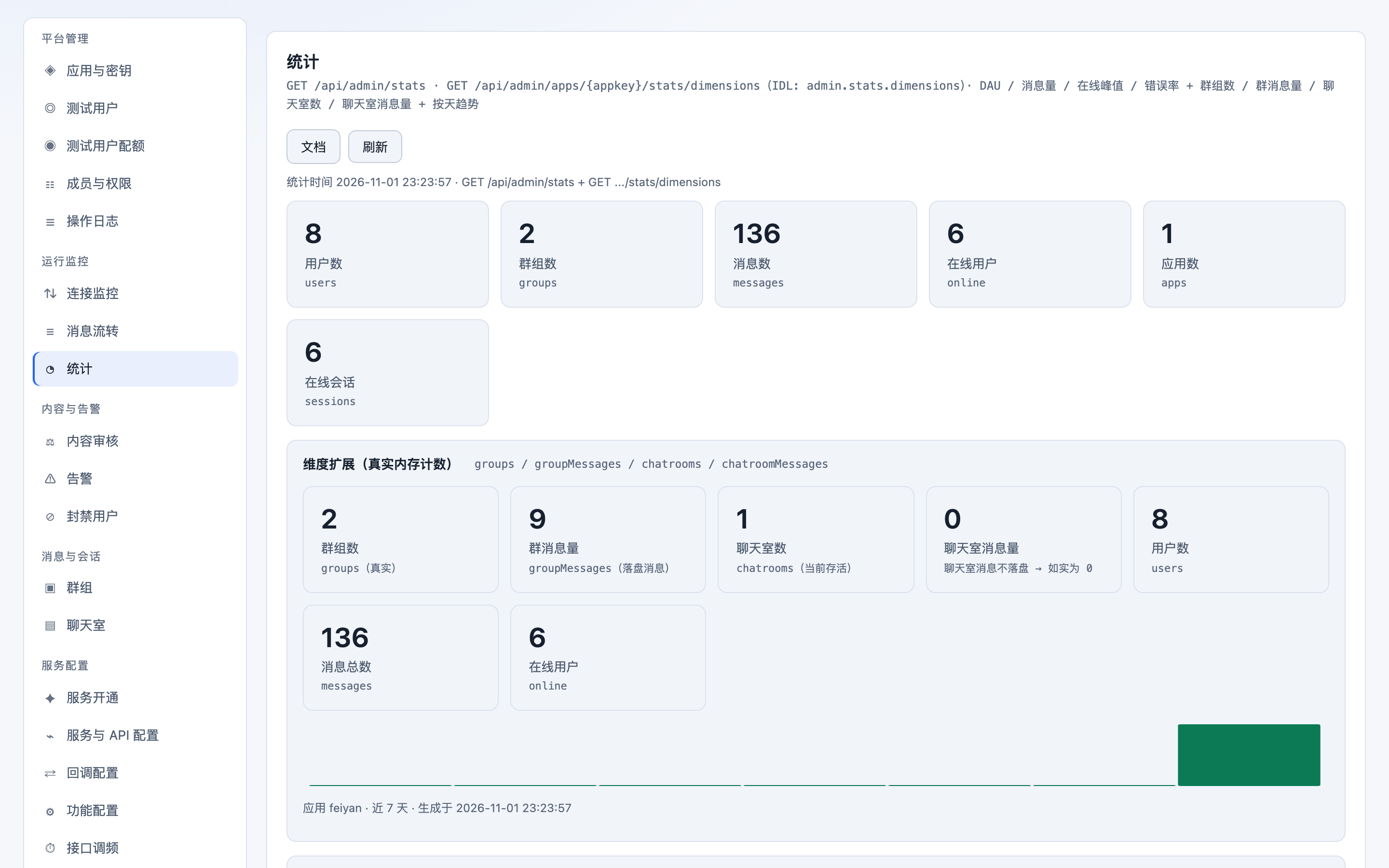
Creating an app gives you an AppID and secret, and usage, billing, member permissions and callback configuration all live in the same place; IM and RTC share one console, so there is no switching between backends.
Create apps, view the AppID and secret, configure the callback URL and the development and production environments.
AppSecret rotation, Token lifetime, IP allowlists and API call auditing.
Usage curves for message volume, real-time video minutes, recording and storage, with invoice details you can export for reconciliation.
Multi-member collaboration, with read-only, operations and admin roles assigned per app.
The IM documentation includes 48 pages of API cross-reference and 1298 pages of generated content; the RTC documentation runs to 206 pages in Chinese and English. Every quick start gives runnable code and the result to expect.
import { FeiyanServer } from '@feiyan/server-sdk';

const client = new FeiyanServer({
  appId: process.env.APP_ID,
  appSecret: process.env.APP_SECRET,
});

// Send a system notification from the server (to all users or specific ones)
await client.message.send({
  from: 'system',
  to: ['user_1001', 'user_1002'],
  type: 'system',
  content: { text: 'Your order has shipped' },
});

// Query today's usage for the app — used for billing reconciliation and alerts
const usage = await client.usage.daily({ date: '2026-11-01' });
console.log(usage.messages, usage.rtcMinutes);
The server SDK is consistent across six languages; swap the sample for Java, Go, Python, .NET or PHP directly.
Quick starts split by platform: prepare the environment, add the SDK, establish the connection and send the first message.
Full parameters and responses for the client API, Open API, admin API and callback events.
Common implementation patterns: paginated conversation lists, message de-duplication, group member sync and recording callbacks.
Client, server and UI components are delivered separately, so you take only what you need; version and dependency requirements are listed in each integration guide.
Need a specific version, or an SDK package for a private deployment environment? Say so in a ticket and we will provide the matching build.
Sample projects stay minimally runnable and work as soon as you copy them; the demo apps cover the main IM and RTC scenarios.
A complete demo with one-to-one chat, group chat, chat rooms and contacts; swap in your AppID and run it.
Try It OnlineRunnable samples for four scenarios: 1v1 calls, multi-party meetings, interactive live streaming and voice rooms.
Try It OnlineServer-side sample code for Open API calls, callback signature verification, Token issuance and usage queries.
View DocumentationIntegration samples and changelogs for the SDKs, IMKit and UI Kit components on each platform.
View SDKsTroubleshooting paths and conclusions for frequent issues, collected in one place; searching the knowledge base is usually faster than opening a ticket.
Troubleshooting paths for AppID configuration, authentication failures, connection failures and multi-platform login conflicts.
Message de-duplication, how read receipts are counted, paginated history retrieval and recall status sync.
Locating latency and stalls, bitrate strategy, screen sharing resolution and common causes of recording failures.
Scaling private deployment nodes, database backup, upgrade rollback and log collection.
Metering rules, quota alerts, invoice reconciliation and the invoice request process.
What common client and server error codes mean, the likely causes and suggested handling.
A ticket automatically carries which app and which call are involved; add the request ID and timestamp and support can locate the issue straight from the logs, without going back and forth.
Choose the app and issue category under Ticket in the console, and include the timestamp and request ID.
Support reviews logs and call chains to locate the issue, then provides a fix or an escalation path.
Once resolved, we share the cause and how to avoid it, and add a knowledge base entry when useful.
One technical session each month, covering integration details and post-mortems; past sessions can be booked for replay.
The Free plan is enough for integration testing and load testing, and upgrading does not change your code.