Two delivery models: run the full stack as a cloud service, or deploy it on your own servers so accounts, messages and recordings stay inside your networkRun the full stack on your own servers and keep data inside your networkExplore Private Deployment
An SFU media plane with our own control plane: 1v1 calls, multi-party meetings, interactive live streaming and voice rooms through one API, with end-to-end latency in the 200 ms range.
Media, Control, Recording and Metering: Four Parts, One Job Each
The media plane keeps audio and video smooth, the control plane keeps it manageable, and recording and quality make it deliverable.
Media Transport
The SFU media plane forwards streams while our own control plane handles scheduling and authentication, with end-to-end latency in the 200 ms range.
SFU clusters serve each channel from the nearest node
Built for poor networks: adaptive bitrate, packet retransmission and jitter buffering
1v1, multi-party and live streaming share one channel model
Scenario Capabilities
Four scenarios work out of the box, each with a demo you can run right away: 1v1 calls, multi-party meetings, interactive live streaming and voice rooms.
1v1 calls: a call, answer and hang-up state machine
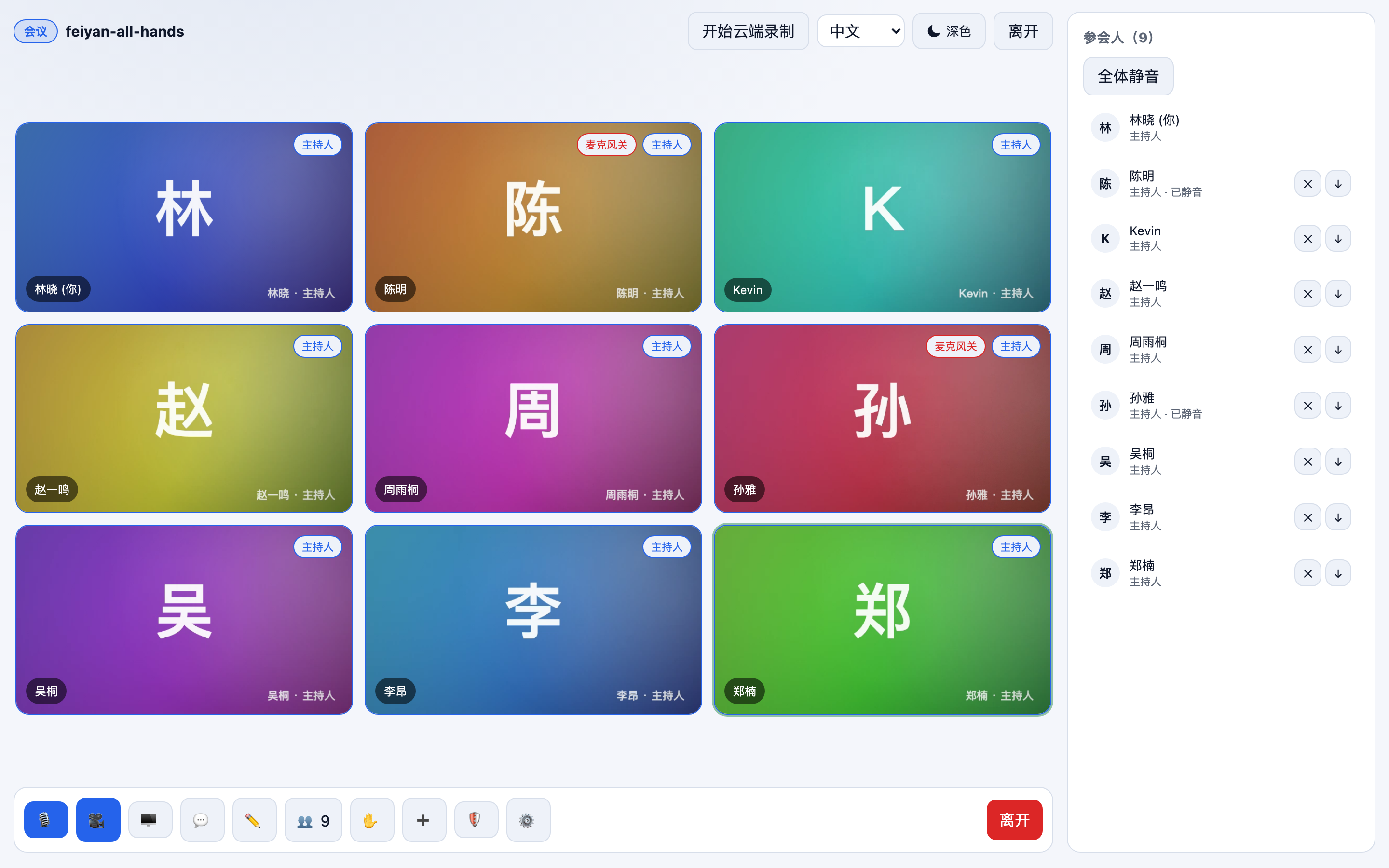
Multi-party meetings: multiple video streams, layout switching and host controls
Recording and Stream Push
Cloud recording offers three modes, composite, individual and web, and results can be delivered by callback to your own storage.
Composite recording produces an MP4 directly
Individual recording keeps the original stream of every speaker
Relay to third-party CDNs and live-streaming endpoints
Quality and Metering
A real-time quality dashboard and usage metering are built in, so problems can be located and costs verified.
End-to-end latency, packet loss, stall rate and bitrate are all visible
Drill down by channel and by user
Usage metering lines up with billing and callback delivery
Change the Parameters, Not the Architecture
Calls, meetings, live streaming and voice rooms share three concepts, channel, user and role, so switching scenarios changes parameters only.
1v1 Calls
Ring, answer, decline and hang up; for support and social.
Host publishes, viewers subscribe; co-hosting and CDN relay.
Voice Room
Audio only, with room joins, seat management and co-hosting.
Latency Under Control, with a Plan for Poor Networks
The media plane connects each channel to the nearest SFU node and the control plane handles scheduling and failover. On poor networks bitrate drops and keyframes are resent automatically, so video stays clear and audio keeps flowing.
End-to-end latency in the 200 ms range
Adaptive bitrate and FEC keep calls running at 30% packet loss
Automatic migration when a node fails, without dropping the call
Quality metrics are reported live and can be reviewed for a single call
Screen Sharing and Cloud Recording
Two things every meeting and classroom needs: sharing a screen and keeping a recording. Screen sharing works at window or application level, and recording happens in the cloud without using client resources.
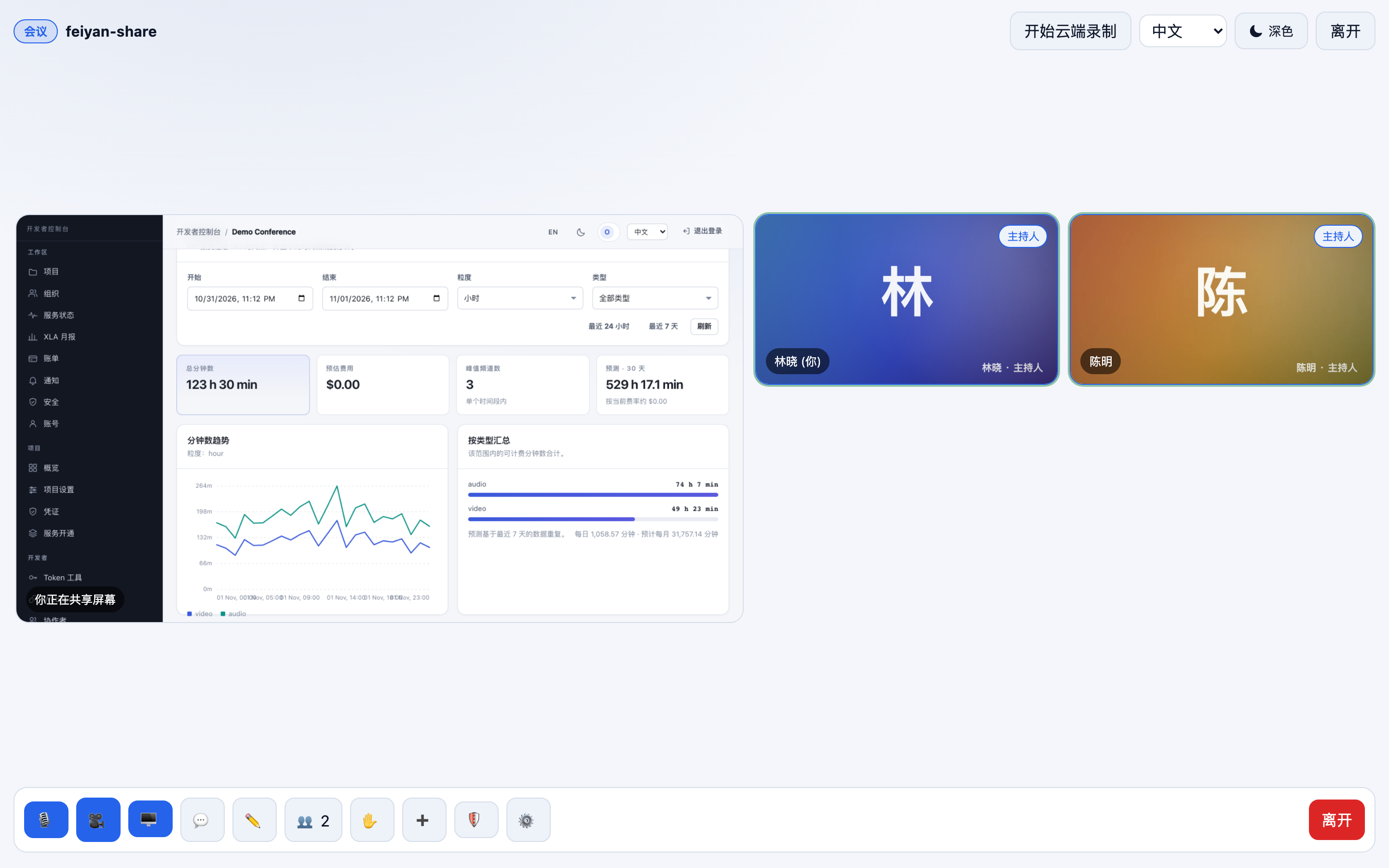
Share a full screen, a window or a region
Composite recording produces an MP4 directly
Individual recording keeps the original video of each participant
Web-mode recording for browser-only scenarios
SDKs for 17 Platforms, One Set of Interfaces
Browsers, mobile, desktop and cross-platform frameworks are all covered, and the UI Kits ship React and Flutter components, so a meeting UI takes about half the code.
SDKs for 17 platforms cover browsers, mobile and desktop
UI Kits provide React and Flutter components and layouts
Server SDKs in six languages: Node / Java / Go / Python / .NET / PHP
One Token and role model, interoperable across platforms
Architecture
The control plane and the media plane are decoupled: authentication, scheduling and metering run on the control plane, audio and video streams run on the media plane, and failures or scaling on one side do not affect the other.
For detailed parameter and metric references, search the Documentation or open a support ticket.
What latency should I expect, and how is it measured?
Within a single region, end-to-end latency is in the 200 ms range; cross-region traffic is routed to the nearest node. The real-time quality dashboard in the console shows latency, packet loss, stall rate and bitrate curves for a single call, which helps locate the stage involved.
Which cloud recording modes are available?
Three: composite (merged recording, output as a single MP4), individual (the original audio and video of each user kept separately) and web (recording on the browser side). When recording finishes, your server is notified by callback, and files land in object storage according to your configuration.
Does an expired Token end the call?
Not immediately. The control plane can renew a Token while a call is in progress, so the client refreshes before expiry and stays connected. To force a user offline, use the banning API to remove them from the channel.
How many participants can be online at once?
Multi-party meetings scale with the number of subscribed streams per channel, and live streaming carries larger audiences over the relay path. The exact concurrency depends on your plan; current quota and usage are shown in the console.
How do RTC and IM work together?
Both share the same account and authentication system. A common pattern is to use IM for invitations, call signalling and chat history, and RTC for the media streams; you can also integrate RTC on its own and implement signalling yourself.
Is private deployment available?
Yes. Both the control plane and the media plane can be delivered to your data center, including offline internal-network environments; recording and object storage connect to the infrastructure you already run. See the private deployment page for details.
Product Screenshots
Meeting Rooms, Screen Sharing and the Console: Real Screenshots
Group chat: @mentions, group announcements and read countsRead by 2 of 7 members in an 8-person group, plus a recalled-message placeholder, all produced inside a real conversationConversation list on mobileUnread badges, pinned chats, drafts and system notificationsA meeting on mobileOne-to-one call: remote video full screen, local preview in a small windowScreen sharingSharing a console dashboard, with participant video kept on the right
Try It First, Then Integrate
The demo covers 1v1 calls, multi-party meetings and screen sharing, and needs no sign-up.