Two delivery models: run the full stack as a cloud service, or deploy it on your own servers so accounts, messages and recordings stay inside your network Run the full stack on your own servers and keep data inside your network Explore Private Deployment

Demo

No sign-up: try IM and real-time video right in the browser, including one-to-one chat, group chat, chat rooms, 1v1 calls, multi-party meetings and screen sharing.

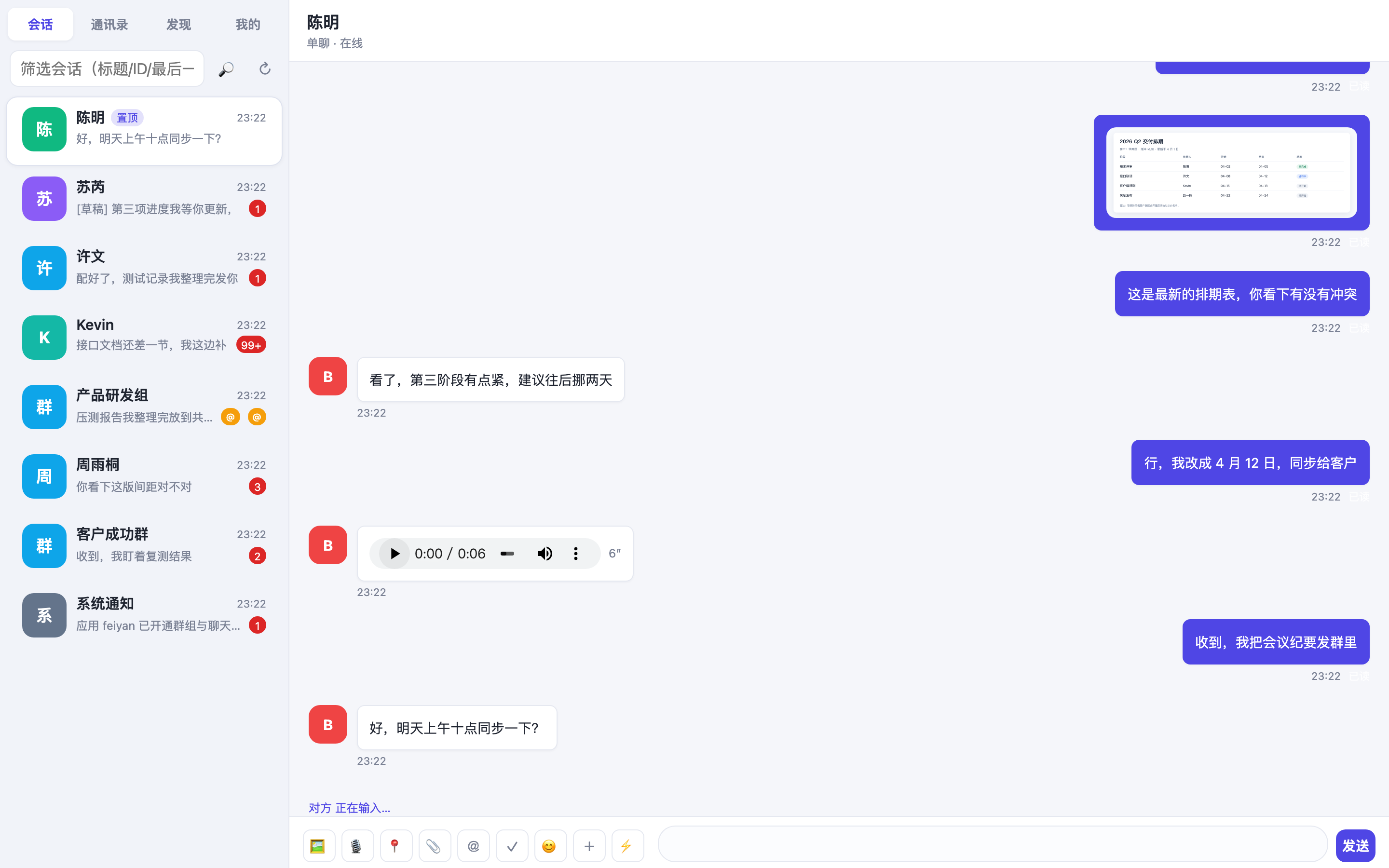
FeiyanCloud IM demo conversation interface

One for Messages, One for Calls

The IM part covers messages and conversations, the real-time video part covers calls and meetings; try them separately or validate them together.

Try one-to-one chat, group chat and chat rooms
IM

Try one-to-one chat, group chat and chat rooms

The demo app ships the full conversation feature set: one-to-one chat, group chat, chat rooms, message search and contacts; read receipts, message recall and @mentions are all visible in action.

  • Direct Chat
  • Group Chat
  • Chat Rooms
  • Message Search
  • Read Receipts
  • Message Recall

Platforms: Web · Android · iOS. Accounts are visible to each other inside the demo environment.
Try 1v1 calls and multi-party meetings
Real-Time Video (RTC)

Try 1v1 calls and multi-party meetings

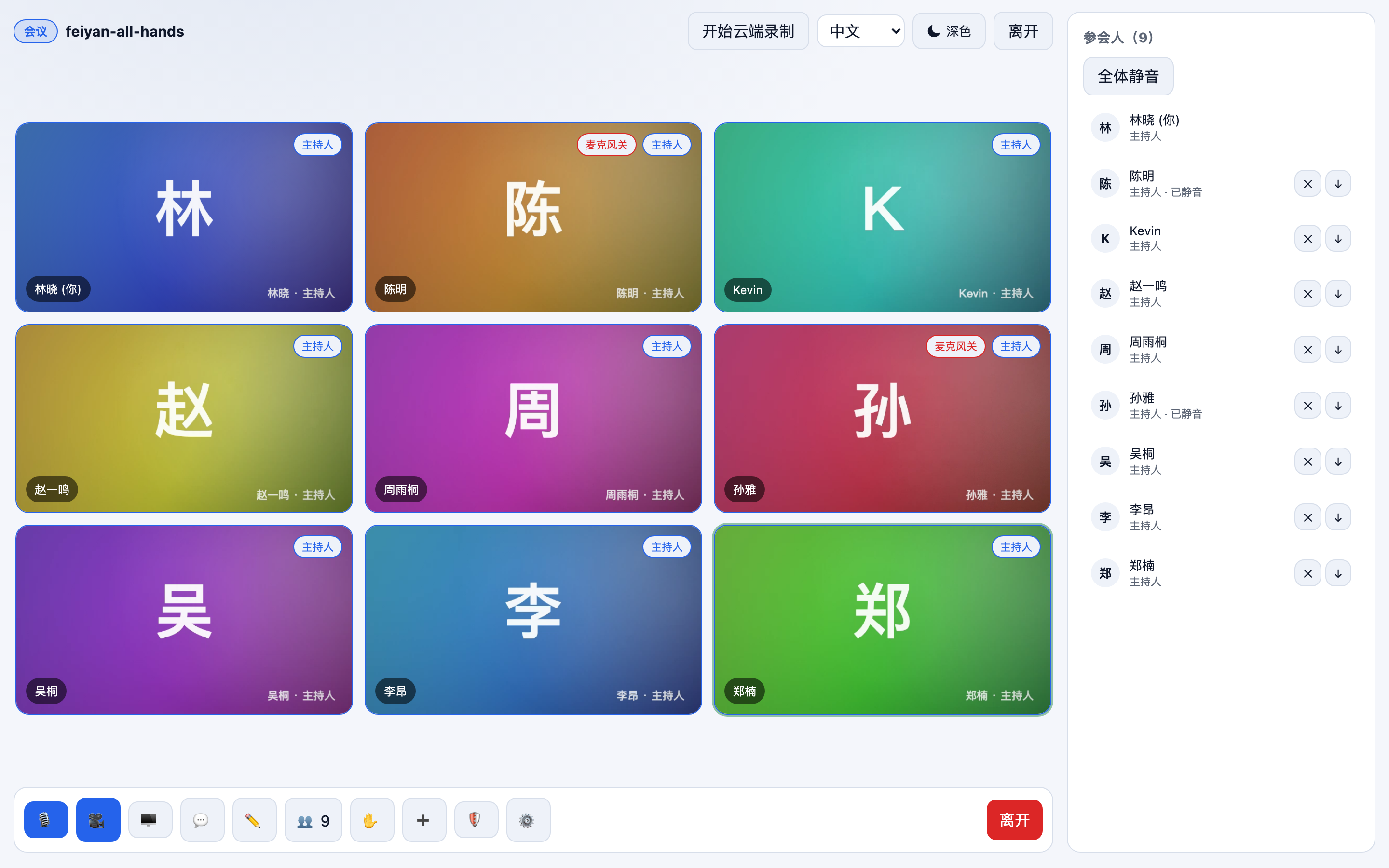
Join a channel and the remote video appears; multiple video layouts, screen sharing and cloud recording are supported, and real-time quality metrics are shown during a meeting so you can see how it behaves on poor networks.

  • 1v1 Calls
  • Multi-Party Meetings
  • Screen Sharing
  • Cloud Recording
  • Quality Monitoring
  • Interactive Live Streaming

Platforms: Web · macOS · iOS. Allow camera and microphone access before joining.

Platform Entries

One account system, the same experience on every platform; see the developer center for the SDKs and installation steps.

Web

Open it in the browser with nothing to install; good for a quick check of messaging and meeting experience.

Learn More

Android

Install the package to try mobile conversations and audio/video, including network switching.

Learn More

iOS

Try it on iPhone and iPad; camera and microphone permission is required the first time.

Learn More

Desktop

Desktop client for Windows and macOS, suited to meetings and screen-sharing demos.

Learn More

Before You Start

Three notes, so you do not run into avoidable problems in the demo.

Camera and Microphone Access

Before joining a meeting or call the browser asks for camera and microphone access; if you decline, you can still listen without video.

Network Environment

A stable Wi-Fi connection is recommended; turn video and screen sharing on and off during a meeting to see how a poor network behaves.

Data Notice

The demo uses a separate demo app and temporary accounts, and data is cleared periodically; please do not enter real business information.

The demo matches production in features, but quotas and data policy differ; for integration details see the Documentation.

Want the Demo to Become Your Product UI?

IMKit and the UI Kits provide finished components: swap in your AppID and it runs.

Leave Your Details, Get a Plan and a Quote

A pre-sales engineer will go over your use case, concurrency and deployment environment with you, usually within one business day.

Fields marked * are required; we use your details only for this pre-sales conversation.